'%3e%3cellipse%20cx='391'%20cy='391.5'%20rx='191'%20ry='191.5'%20fill='var(--fill-0,%20%23EEE8FC)'/%3e%3c/g%3e%3cdefs%3e%3cfilter%20id='filter0_f_40000071_5729'%20x='0'%20y='0'%20width='782'%20height='783'%20filterUnits='userSpaceOnUse'%20color-interpolation-filters='sRGB'%3e%3cfeFlood%20flood-opacity='0'%20result='BackgroundImageFix'/%3e%3cfeBlend%20mode='normal'%20in='SourceGraphic'%20in2='BackgroundImageFix'%20result='shape'/%3e%3cfeGaussianBlur%20stdDeviation='100'%20result='effect1_foregroundBlur_40000071_5729'/%3e%3c/filter%3e%3c/defs%3e%3c/svg%3e)

Set up your MBTI mail
Receive
Gmail setup
3
Send
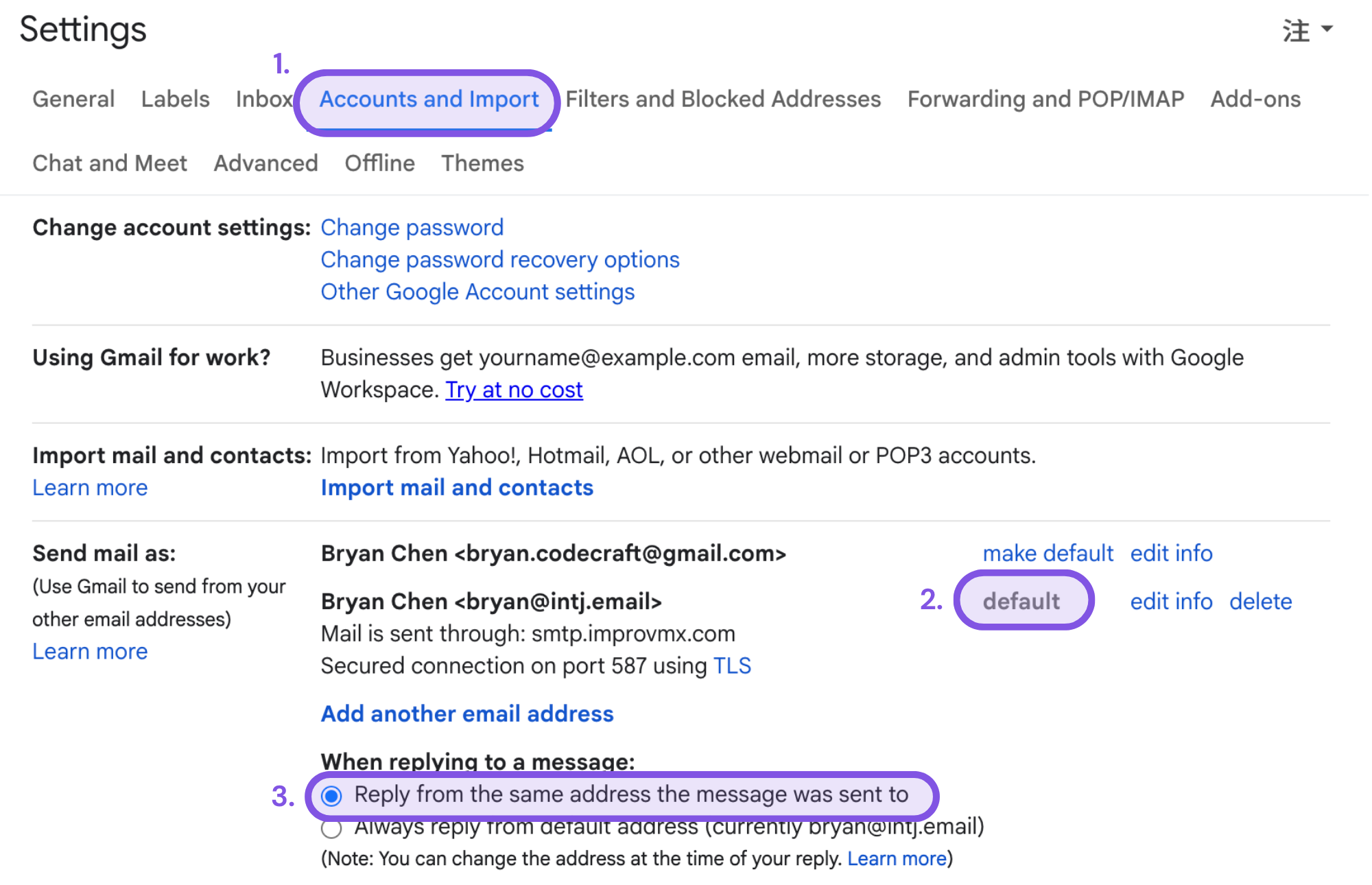
- Return to the Accounts and Import tab.
- Click “Make default” to set MBTI mail as the default sender.
- To reply from MBTI mail automatically, select “Reply from the same address”.
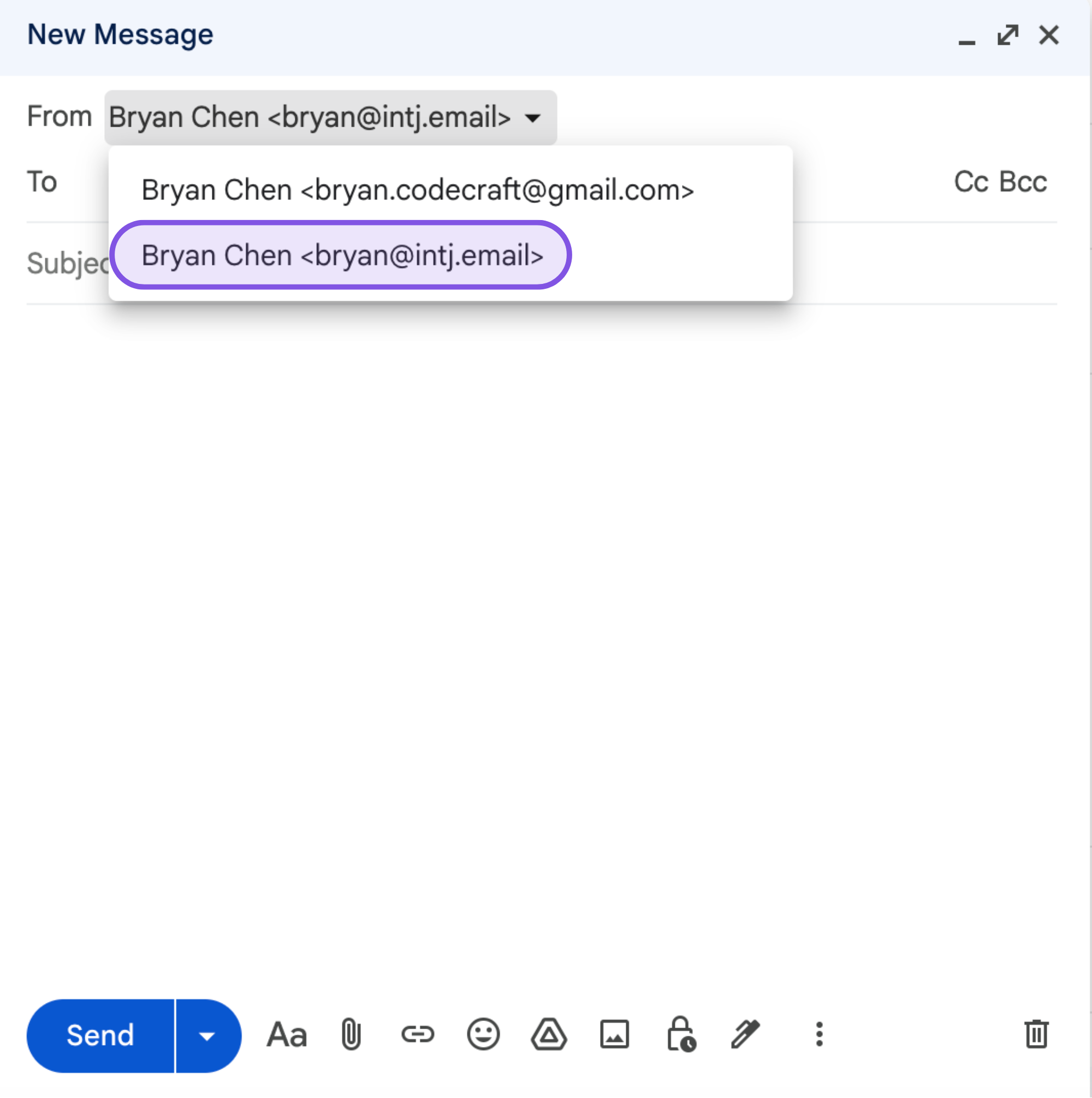
When composing, choose MBTI mail as the From address.