'%3e%3cellipse%20cx='391'%20cy='391.5'%20rx='191'%20ry='191.5'%20fill='var(--fill-0,%20%23EEE8FC)'/%3e%3c/g%3e%3cdefs%3e%3cfilter%20id='filter0_f_40000071_5729'%20x='0'%20y='0'%20width='782'%20height='783'%20filterUnits='userSpaceOnUse'%20color-interpolation-filters='sRGB'%3e%3cfeFlood%20flood-opacity='0'%20result='BackgroundImageFix'/%3e%3cfeBlend%20mode='normal'%20in='SourceGraphic'%20in2='BackgroundImageFix'%20result='shape'/%3e%3cfeGaussianBlur%20stdDeviation='100'%20result='effect1_foregroundBlur_40000071_5729'/%3e%3c/filter%3e%3c/defs%3e%3c/svg%3e)

Set up your MBTI mail
Receive
2
Gmail setup
3
Send
Complete these steps in Gmail to enable sending.
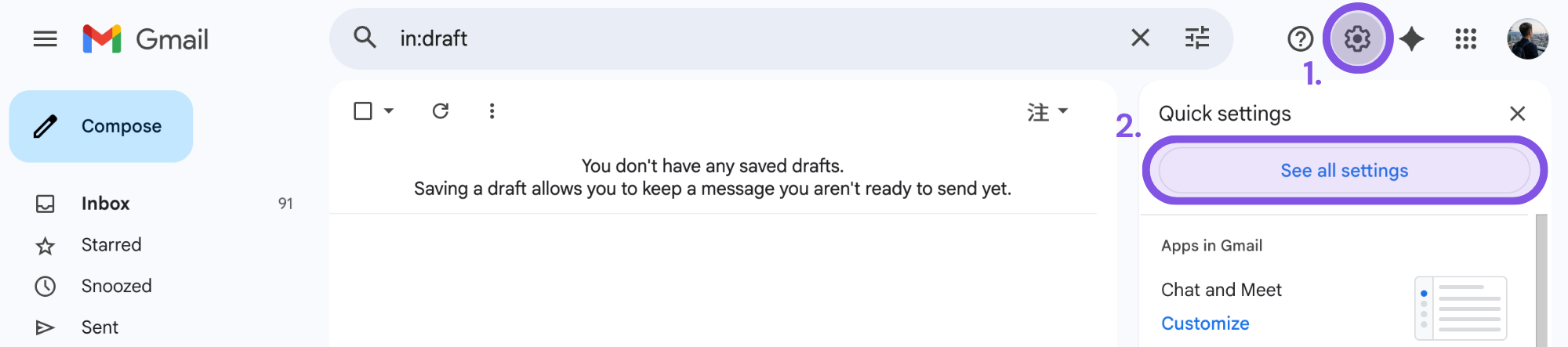
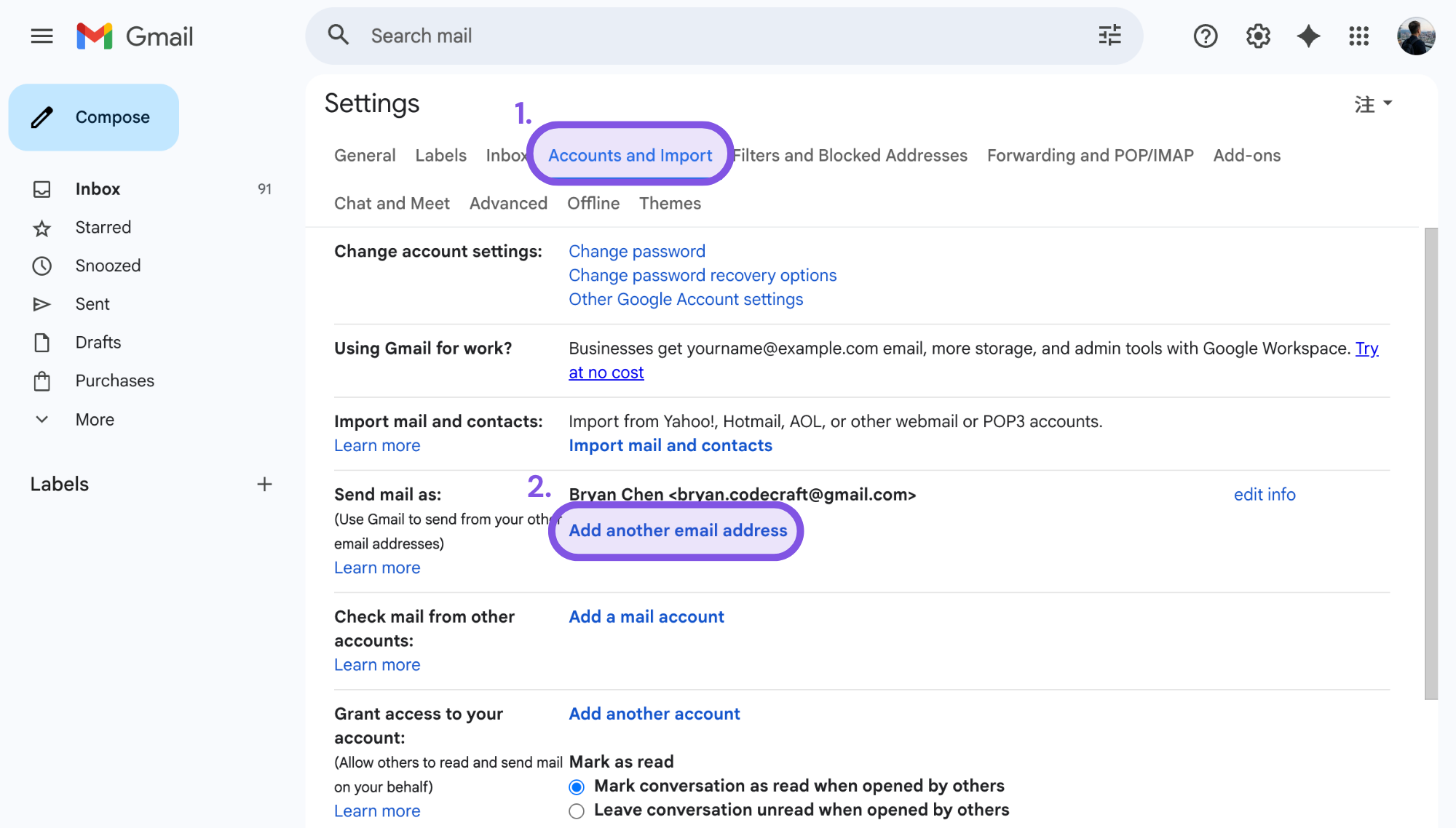
Go to Accounts and Import, then click Add another email address.
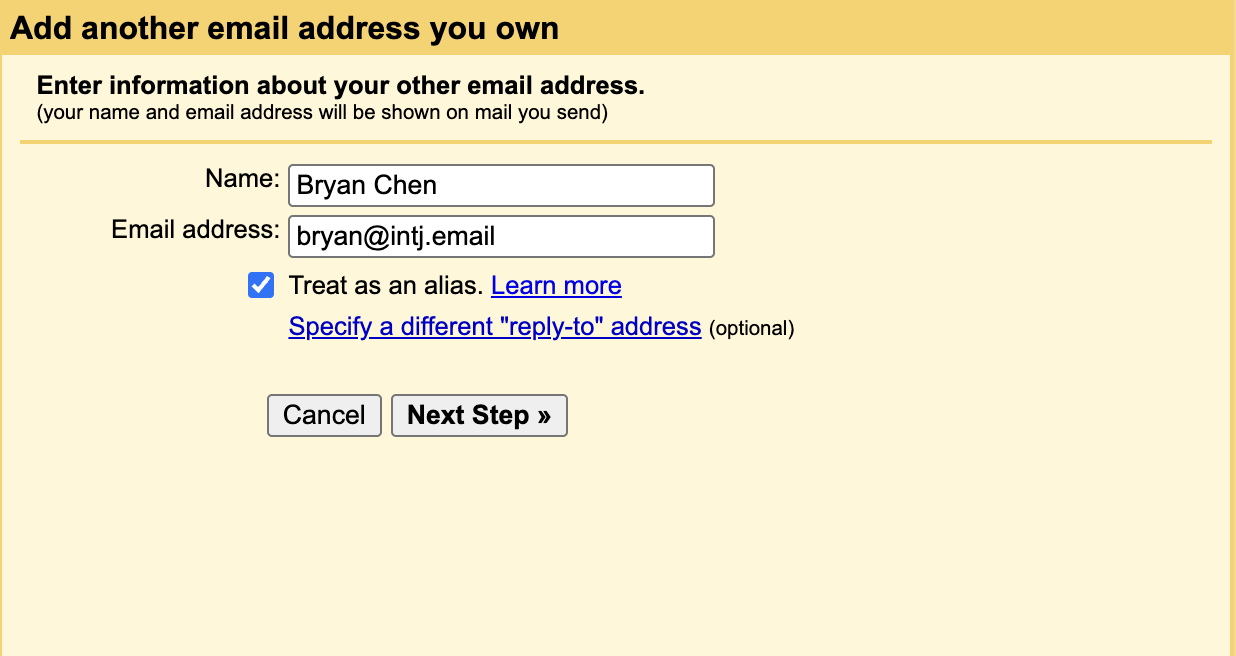
1. Enter the display name and your MBTI mail address, and check “Treat as an alias”.
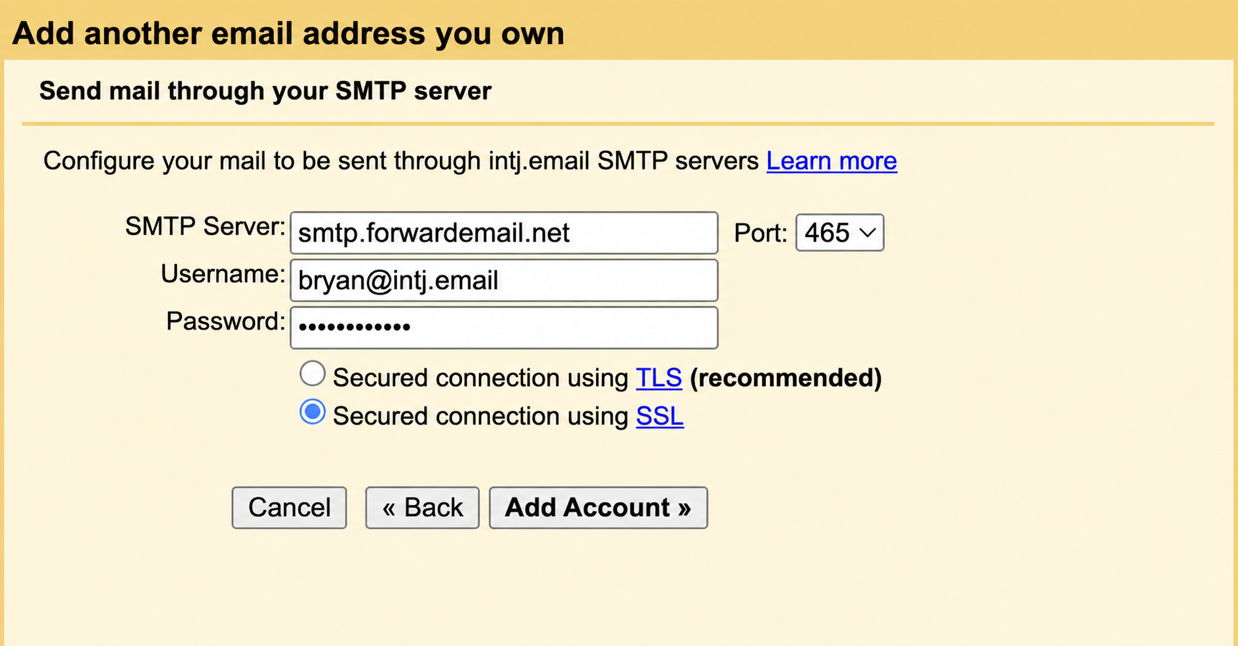
2. Enter the following settings:
• SMTP server: smtp.forwardemail.net (Port: 465)
• Secure connection: SSL
• Username: your full MBTI mail address
• Password: view and copy the SMTP password from the dashboard
Then click “Add Account”.
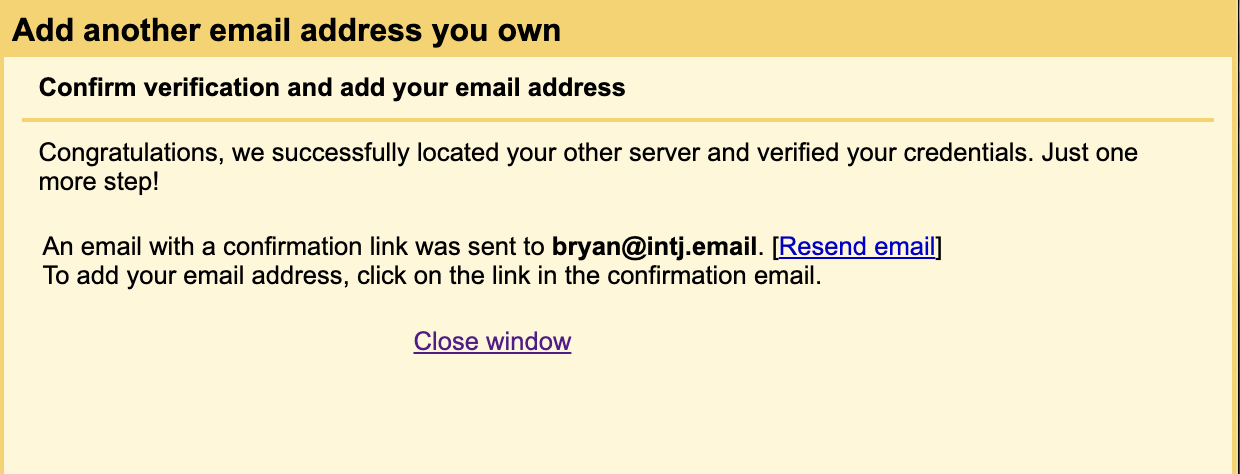
3. Open the verification email in Gmail and click the link to finish.